Vivantio AI Optimize

Stop solving the same problems twice.

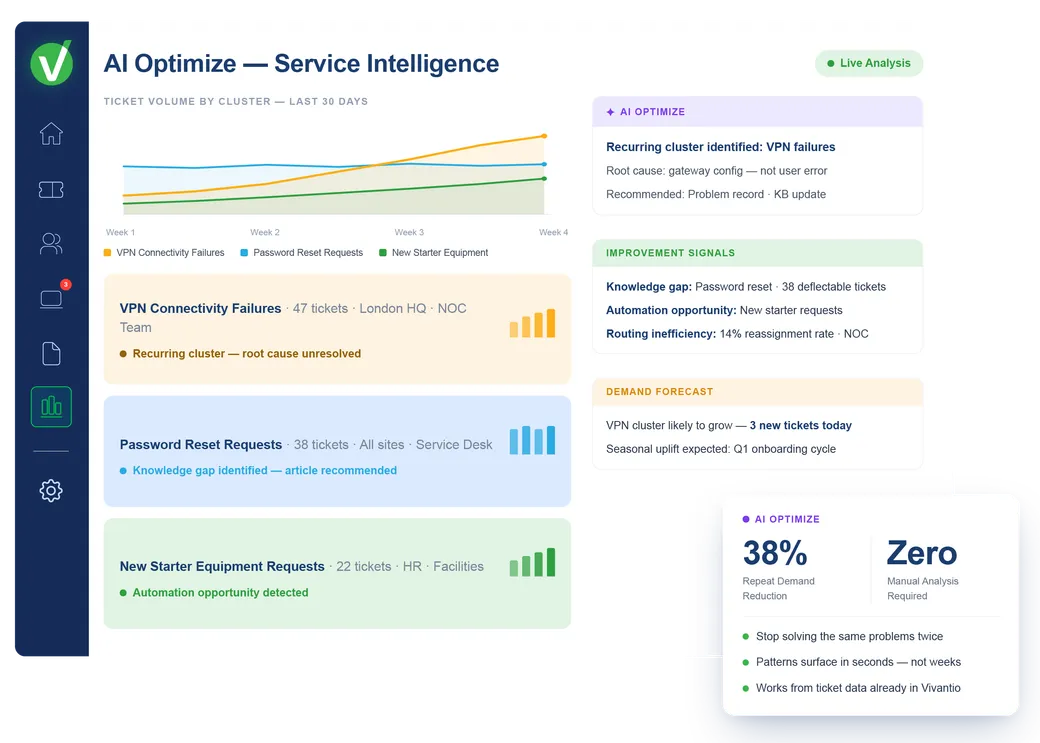
The biggest driver of service cost isn't complexity — it's repetition. Recurring incidents, persistent fulfilment friction, known issues that keep generating tickets. AI Optimize turns your service data into a continuous improvement engine, reducing tomorrow's demand at the source.

Works from the ticket data already in Vivantio — no separate data setup required.

Vivantio AI Optimize — demand pattern analysis and service improvement recommendations

Service teams at leading organizations trust Vivantio

The problem it solves

Solving tickets is not the same as fixing what generates them.

A team that only closes tickets never reduces the volume that creates them. Patterns in ticket data point directly to the problems worth fixing. You just have to be able to see them.

Without AI Optimize

Same incident category generates 40 tickets a month: root cause never surfaced

Leaders know demand is high but can't identify what is driving it

Improvement reviews rely on manual ticket sampling: patterns hide in the volume

The team resolves tickets but never addresses what creates them

With Vivantio AI Optimize

AI surfaces recurring patterns across your ticket data automatically

Root cause clusters identified and flagged with supporting evidence: no manual analysis

Improvement opportunities surfaced continuously, not at quarterly review

Reduce ticket volume by fixing what creates it, not just clearing what arrives

What AI Optimize does

From reactive resolution to continuous improvement.

AI Optimize works across your entire ticket history — spotting what individual review misses, and turning signal into targeted action.

Trend & pattern detection

See the patterns individual review misses

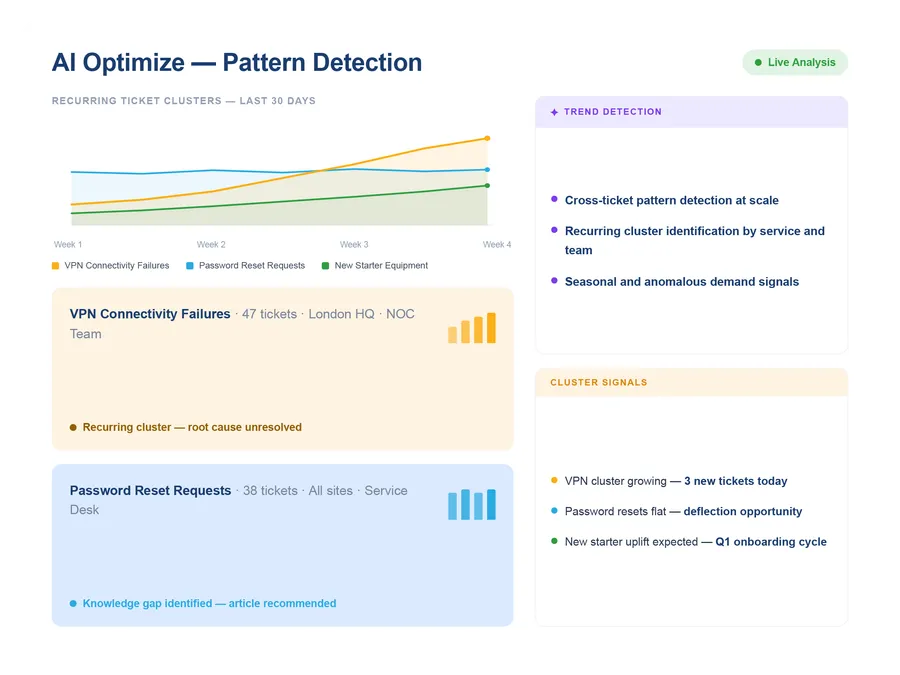
AI Optimize works across thousands of tickets at once — identifying recurring clusters, seasonal demand patterns, services generating disproportionate volume, and emerging issue types before they compound. Issues that take weeks of manual analysis to find surface within seconds. Teams can act on what's building, not what has already peaked.

  • Cross-ticket pattern detection at scale
  • Recurring cluster identification — by service, team, or request type
  • Seasonal and anomalous demand signals
See how BI and reporting works
AI Optimize — trend and pattern detection across ticket history
Signal extraction & root-cause summarisation

Root causes, resolution themes, and impacted services — extracted from the noise

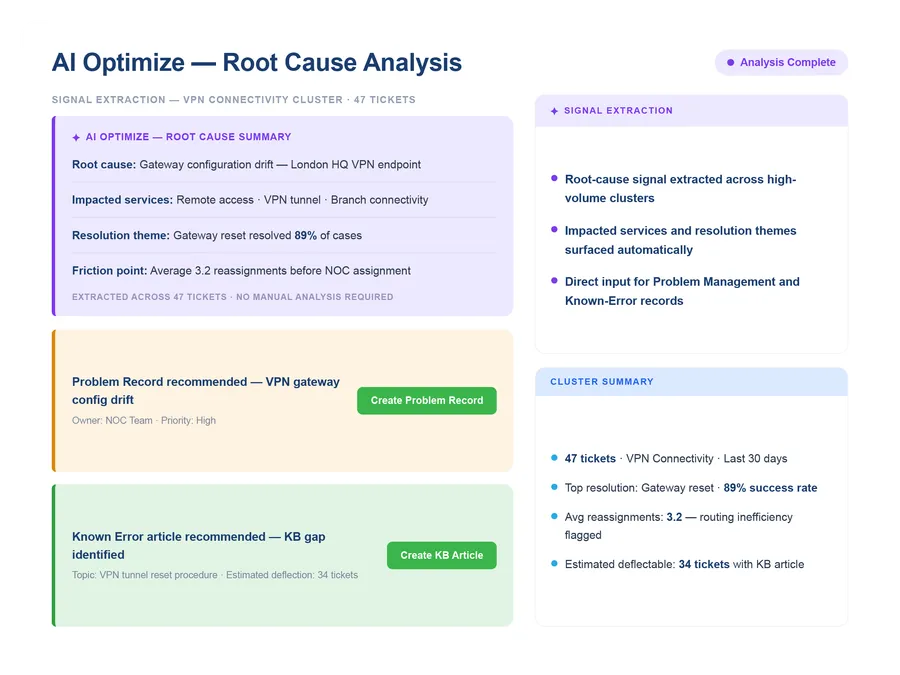
AI Optimize reads across ticket clusters and extracts the signal: what root causes appear repeatedly, which services are most affected, what resolution approaches actually worked, where the friction accumulates in fulfilment. Problem managers and service leads get a structured picture of what's driving demand — grounded in what happened, not what was reported in aggregate dashboards.

  • Root-cause signal extracted across high-volume clusters
  • Impacted services and resolution themes surfaced automatically
  • Direct input for Problem Management and Known-Error records
See how Problem Management works
AI Optimize — root-cause summarisation and signal extraction
Evidence-based improvement recommendations

Not just insight — targeted recommendations for what to change

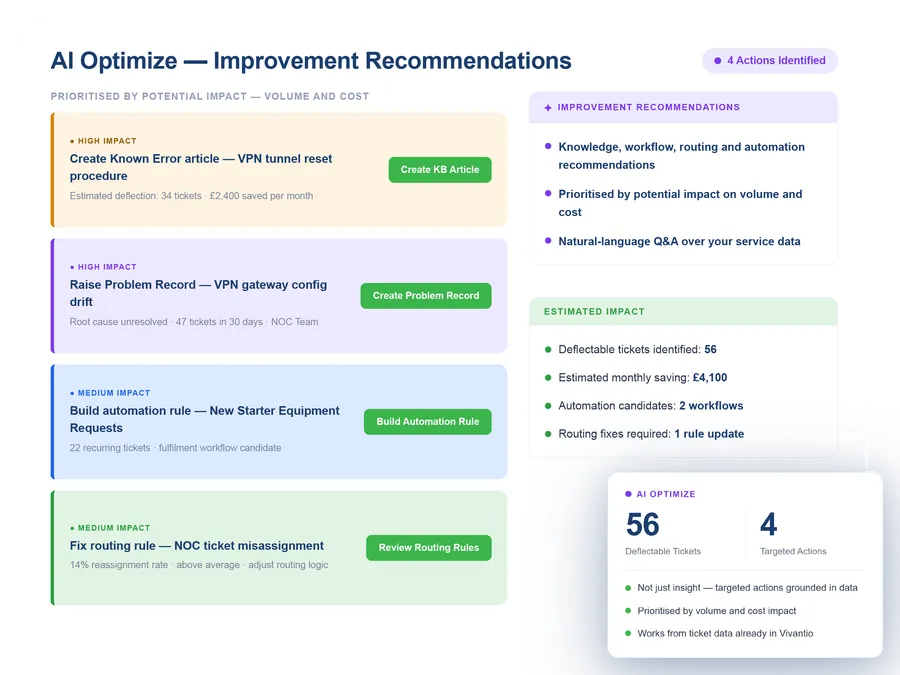
AI Optimize doesn't stop at analysis. It generates targeted recommendations: knowledge gaps that, if filled, would reduce a category of repeat tickets; workflow friction points that slow fulfilment; routing inefficiencies causing reassignment; automation opportunities grounded in actual ticket patterns. Leaders get a prioritised action list rather than a report to interpret.

  • Knowledge, workflow, routing and automation recommendations
  • Prioritised by potential impact on volume and cost
  • Natural-language Q&A over your service data — ask questions, get answers
AI Optimize — evidence-based service improvement recommendations
Works alongside

Where AI Optimize fits in your platform

AI Optimize connects the operational data in Vivantio to the tools your team uses for continuous improvement.

Recognised by the teams who use us every day
G2 Leader — United Kingdom Service DeskG2 Leader — Enterprise Service DeskG2 Leader — Mid-Market Complaint ManagementG2 Leader — HR Service DeliveryG2 Leader — Mid-Market IT Asset ManagementG2 Leader — Mid-Market ITSMG2 Leader — IT Service Management
Common questions

AI Optimize: what teams ask us

What is the difference between AI Optimize and BI reporting?

BI reporting shows what happened — volumes, SLA performance, agent workload. AI Optimize goes further: it works across thousands of tickets to detect patterns that aren't visible in aggregate charts, extracts root-cause signals, and generates targeted service improvement recommendations. It answers "what should we change" not just "what did we achieve."

How does AI Optimize support Problem Management?

AI Optimize is a direct input to Problem Management and Known-Error work. It identifies recurring incident patterns, surfaces common threads across high-volume ticket clusters, and flags impacted services and resolution themes. Problem managers get evidence-based inputs rather than spending time manually analysing ticket histories to find what to investigate.

Can AI Optimize work with existing incident and request data?

Yes. AI Optimize works across the ticket data already in Vivantio — incidents, requests, change records and related history. It does not require a separate data setup or data warehouse; it surfaces insight from the operational data your team generates every day.

What does "natural-language Q&A over service data" mean in practice?

It means service leaders can ask questions in plain language — "what are the most common root causes this month?", "which services generated the most repeat incidents?", "where is the most time being lost in fulfilment?" — and receive direct answers grounded in real ticket data, without building a custom report.

See it in action

Durable demand reduction, not just faster resolution.

We'll show you how AI Optimize surfaces patterns and recommendations from your type of service data — with a demo built around your team's improvement goals.

~30-minute demo No commitment Built around your service data